

Sharing with your phone
The fastest way to see a local envGo site on your phone is --qr. It binds every
network interface and prints a QR code that encodes the LAN address, so you scan
it with the phone camera and the site opens — no typing an IP address, no
adb reverse, no deploy.
envgo run dev --qr[envGo] --qr: binding all interfaces so other devices on this network can connect
[envGo] envGo running -> http://127.0.0.1:8080/
[envGo] envGo network -> http://192.168.1.20:8080 (same network only)
█▀▀▀▀▀█ ▀▀ ▄█ ▀ █▀▀▀▀▀█
█ ███ █ ▀█▀▀▄█▀▄ █ ███ █
█ ▀▀▀ █ ▄▄ █▀▀ █ █ ▀▀▀ █
▀▀▀▀▀▀▀ ▀ ▀▄█ ▀ ▀ ▀▀▀▀▀▀▀
█ █▄▄▄▀▀▄▄▄▄▄▄██ ▄▄▀ ▄▀▄█
▀▄█ █ ▀▄▄▄▄ ▄ ▀██▀█ ██▀ ▀
▀ ▀▄██▀ ▀▀▄▀ ▄█▄▀▀█ ▄█
▀▀█▀▀█▀▀ ██▀ ▀▀▀▀ ▄ ▀▀▀ ▀
▀▀▀ ▀▀▀▄ ▀▀█ █▄█▀▀▀█ ▄▀▄
█▀▀▀▀▀█ ▀▀▄▄█▀▀ █ ▀ █▀ ▀
█ ███ █ █▄ ▀▄█▀█▀▀███▄█
█ ▀▀▀ █ ▀▄█▀▀▀▀▄█ ██ ▀▀
▀▀▀▀▀▀▀ ▀ ▀▀ ▀▀▀ ▀ ▀ ▀
Scan with a phone on the same network to open: http://192.168.1.20:8080The block above is what your terminal shows. The same code as a real image — this one is scannable straight off the screen:
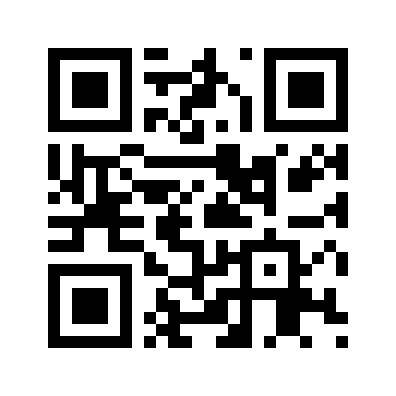
envgo —qr-format png.If your terminal mangles the half-block characters, add a PNG you can open or send to the phone:
envgo run dev --qr --qr-format pngThat prints the QR as usual and writes qrcode_<ip>_<port>.png, so you get
both. The flag needs --qr; passed alone it warns instead of quietly doing
nothing.
What --qr actually does
It changes exactly one thing about the server, then prints a code:
- Binds all interfaces instead of only
127.0.0.1. - Prints both URLs —
localfor your own machine,networkfor the phone. - Prints a QR code encoding the
networkURL.
That is all. Nothing is uploaded, no tunnel is opened, and no external service is contacted — the QR is drawn by a QR encoder built into the binary.
Without --qr | With --qr | |
|---|---|---|
| Bound address | 127.0.0.1 | 0.0.0.0 |
| Reachable from a phone | No | Yes, same network |
| QR code | none | LAN URL |
| Port | unchanged | unchanged |
The port is always whatever .env or --port resolved to. --qr only swaps the
host, so PORT=3000 in .env still means the QR points at port 3000.
Requirements
Your phone and your computer must be on the same network. Guest Wi-Fi and some corporate networks isolate clients from each other, and a phone on mobile data is a different network entirely.
If the scan works but the page will not load, the port is almost certainly being blocked by the host firewall. See Troubleshooting below.
When your terminal mangles the QR
The terminal version uses Unicode block characters. Some terminals render them as noise, and CI logs or SSH sessions often drop them entirely. Ask for a PNG as well:
envgo run dev --qr --qr-format png[envGo] QR code also written to qrcode_192.168.1.20_8080.pngThe terminal QR is still printed first, so the command never leaves you staring
at an empty screen. The file lands in the current directory as
qrcode_<ip>_<port>.png — open it on your computer, or AirDrop / message it to
the phone.
Only the literal value png (in any case) writes a file. Any other value —
including a typo like --qr-format image — just prints to the terminal, so
check for a silent fallback if the file never appears.
Using --qr without dev mode
run dev is not required. --qr is an ordinary flag, so this works too:
envgo -e .env --qrThe only difference is that run dev implies --browser, so your own browser
opens as well. If you use --qr, you probably want to skip the local browser —
--qr is aimed at the phone.
Troubleshooting
| Symptom | Cause | Fix |
|---|---|---|
| Phone scans but page never loads | Host firewall blocking the port | Allow the port for incoming connections, or try a different port |
Page loads but ERR_CONNECTION_REFUSED | Phone is on a different network | Join the same Wi-Fi; disable mobile data while testing |
| QR is unreadable blocks in the terminal | Terminal cannot render block characters | Use --qr-format png |
| Wrong IP in the QR | Machine has several interfaces (VPN, Docker, virtual networks) | See Choosing which address is advertised |
| Works on one device, not another | Guest-network client isolation | Use a non-guest network |
| Nothing printed at all | Server failed to start | Read the lines above the QR — usually a bad --dir or a port already in use |
Choosing which address is advertised
When several interfaces are up — a VPN, Docker Desktop, a virtual machine — envGo
picks the first one that is up, not a loopback, and carries a usable IPv4
address. Addresses that cannot work are skipped: loopback (127.0.0.1),
link-local (169.254.x.x), multicast, and anything that is not global unicast.
There is no preference for private ranges over other addresses, and virtual
adapters are not recognised as such.
In practice this means the common case — one Wi-Fi adapter, no VPN — resolves correctly, but on a machine with a virtual network listed first the QR can point at an address your phone cannot reach.
If the QR points at the wrong address, the reliable fixes are, in order:
-
Turn the VPN off while you test, or disconnect the virtual adapter.
-
Pin the address yourself with
HOSTin.env, or--host:.env HOST=192.168.1.20Terminal window envgo run dev --qrA specific address is left untouched by
--qr, and the QR encodes exactly what you pinned. -
Read the
network ->line printed at startup to see which address was actually chosen.
You can confirm what the machine sees with ipconfig getifaddr en0 (macOS) or
hostname -I (Linux).
Changing the port
--qr never changes the port. Set it the normal way, and the QR follows:
envgo run dev --qr -p 3000# QR encodes http://192.168.1.20:3000If port 3000 is blocked but 8080 is not (or the reverse), switching ports is the fastest fix for a stubborn firewall.
Safety notes
- Secrets still never reach the phone browser. Variable values are substituted inside the Go process; the page receives names and booleans only. This holds on LAN exactly as it does on loopback.
- The QR encodes a plain
http://URL. A phone will show a “not secure” hint. That is expected for LAN development. If you need HTTPS, see TLS / HTTPS — though a self-signed certificate usually has to be accepted manually on the phone. - The port is temporary.
--qrlasts exactly as long as the running process. Restarting envGo prints a fresh code.
Next steps
- CLI Commands — every command and flag
- Local Mode — how
/proxyand the session token work - TLS / HTTPS — serving HTTPS locally